Network 39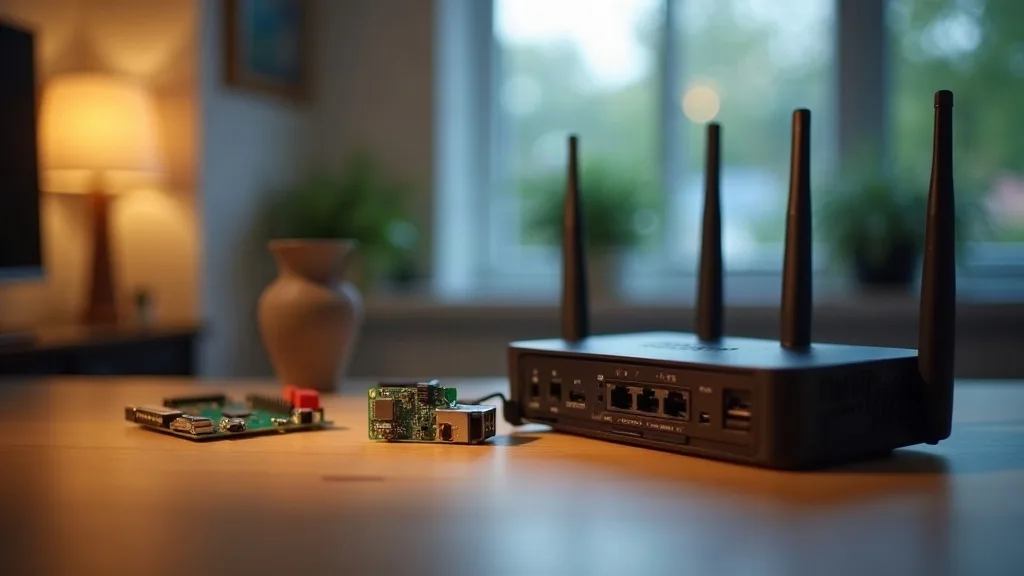
Running a VPN server back to your house is one of the most useful things you can do with your network, letting you reach files, cameras, or your smart home from anywhere. The tricky part isn't the software, it's picking the right box to run it on. The best home VPN server setup depends on how much traffic you push, how techy you're willing to get, and whether you want something that just works out of the box.
Below is a rundown of the hardware that actually holds up as an always-on VPN server, from routers with WireGuard baked in to tiny PCs that sip power all year round.
1. Routers With Built-In WireGuard
The simplest route to a home VPN server is a router that already supports WireGuard. Many ASUS, TP-Link and UniFi models now include it in their firmware, so there's no extra hardware to buy or power.
This is the best home VPN server router option for most people because the router is already running 24/7 anyway. You're not adding a device, a power socket, or another thing to maintain. If you own an ASUS router, our guide on setting up a WireGuard VPN server on an ASUS router walks through the whole process.
TP-Link and Omada owners aren't left out either. There's a dedicated walkthrough for setting up WireGuard on TP-Link and Omada routers that covers the settings menus step by step.
2. UniFi and Ubiquiti Gateways
If you already run a UniFi network, the gateway itself can double as your VPN server. UniFi's interface makes it fairly painless to add WireGuard clients and manage who has access.
This suits people who've invested in UniFi for its network management features and want the VPN to live in the same dashboard. You don't need a separate device, and performance tends to be solid since UniFi gateways are built for always-on use.
For the exact steps, see our guide to setting up WireGuard on UniFi and Ubiquiti gear. It covers both the basic setup and a few of the quirks specific to UniFi's firmware.
3. Raspberry Pi 4 or Pi 5
The Raspberry Pi has been a favourite home server for years, and it still makes a great dedicated VPN box. It's small, uses very little power, and costs a lot less than most mini PCs.
A Pi 4 handles WireGuard traffic comfortably for typical home broadband speeds, and the Pi 5 adds more headroom if you're on a faster connection. Running the VPN on its own device (rather than your router) also means you can experiment with settings without risking your main network connection.
The downside is that you'll need to do a bit more setup yourself, including picking an operating system, installing WireGuard, and keeping it patched. If this is your first time poking around config files, our piece on WireGuard config files explained with examples is worth reading before you start.
4. Raspberry Pi Zero 2 W
For a genuinely tiny, low-power option, the Pi Zero 2 W is worth a look. It's cheaper and smaller than a full-size Pi, and still has enough grunt for WireGuard on a typical home connection.
It won't handle very high throughput as well as a Pi 4, so if your broadband is well over 500Mbps, you might notice the ceiling. For most households, though, it's more than capable and barely registers on your electricity bill.
This is a good pick if you want a VPN server for home use that you can tuck behind a monitor or inside a drawer and forget about.
5. Mini PCs (Intel N100 and Similar)
Mini PCs built around low-power chips like the Intel N100 have become a popular middle ground between a Pi and a full server. They cost a bit more but offer more processing power, often with gigabit or even 2.5 gigabit networking built in.
These are a strong choice if you want your VPN server for home network use to also run other things, like a Pi-hole, a media server, or network monitoring tools, without everything competing for the same limited resources. Most run a lightweight Linux distribution, and WireGuard setup is similar to any other Linux machine.
They're quiet, small enough to sit next to your router, and use far less power than an old desktop PC repurposed for the same job.
6. Travel Routers With VPN Support
Travel routers are small, battery-friendly devices originally designed for hotel Wi-Fi, but many now double as capable VPN servers. Brands like GL.iNet build WireGuard support directly into their firmware, with a simple app or web interface for managing it.
These suit two situations well: people who want an easy home VPN server without touching Linux, and people who travel a lot and want the same box to work as both a home VPN endpoint and a travel VPN client. They're not as fast as a dedicated mini PC under heavy load, but for a phone or laptop checking in from outside the house, that's rarely a problem.
They're also a sensible backup if your main router doesn't support WireGuard and you'd rather not replace it just for this.
7. NAS Devices With VPN Server Support
If you already own a NAS from Synology or QNAP, there's a good chance it can run a VPN server too. Many models now include WireGuard or OpenVPN support in their app stores, so you're not adding a new box at all.
This is convenient because your NAS is likely already running around the clock for backups or media storage. Adding VPN duty to it doesn't change your power usage much, and management happens through the same familiar dashboard.
The main caveat is that older or lower-powered NAS units might struggle if you're pushing a lot of VPN traffic alongside file transfers. Check your model's specs before relying on it as your only remote access method.
8. Old Laptops or Desktops Repurposed as Servers
If you've got an old laptop gathering dust, it can work as a VPN server, at least while you decide whether to invest in dedicated hardware. Install a lightweight Linux distribution, set up WireGuard, and you're mostly done.
The trade-off is power consumption and noise. Old desktops especially can draw a fair bit of electricity running 24/7, which adds up over a year. It's a fine way to test things out before committing to a Pi or mini PC, but not ideal as a permanent setup.
This option also tends to need more manual care over time, including keeping the OS updated and handling restarts after power cuts. If remote access to the device itself matters to you, it helps to know how to restart your router remotely in case your home gear needs a nudge while you're away.
Conclusion
There's no single best home VPN server for everyone. A router with built-in WireGuard is the easiest and often all you need, while a Pi or mini PC gives you more flexibility if you want to run other services alongside it. Travel routers and NAS devices fill in nicely for specific situations, whether that's travelling often or already owning the hardware.
Before settling on one, it's worth comparing how VPN hardware stacks up against other ways in. Our guide to the best ways to access your home network remotely, compared looks at alternatives like cloud relay services, which might suit you better depending on how technical you want to get.
FAQ
What's the easiest way to set up a VPN server for home use?
A router with built-in WireGuard support is the simplest option, since there's no extra hardware or operating system to manage. ASUS, TP-Link, UniFi and GL.iNet all offer this in various models.
Do I need a powerful device to run a home VPN server?
No. WireGuard is lightweight, so a Raspberry Pi or entry-level mini PC handles typical home broadband speeds without issue. You'd only need more power if you're running very fast internet or other services on the same device.
Can I use my NAS as a VPN server instead of buying new hardware?
Yes, if your NAS supports it. Many Synology and QNAP models include WireGuard or OpenVPN apps, making this a convenient option if the NAS is already running constantly.
Is a VPN server better than remote access apps like NordVPN's Meshnet?
It depends on what you need. A self-hosted VPN gives you full control over your home network, while mesh-based tools can be quicker to set up. Our explainer on whether NordVPN can access your home network through Meshnet covers how that approach compares.
How do I get started if I've never set up remote access before?
Start with the basics before choosing hardware. Our beginner's guide to accessing your home network remotely explains the core concepts in plain terms, which makes picking the right device much easier.