Network 39
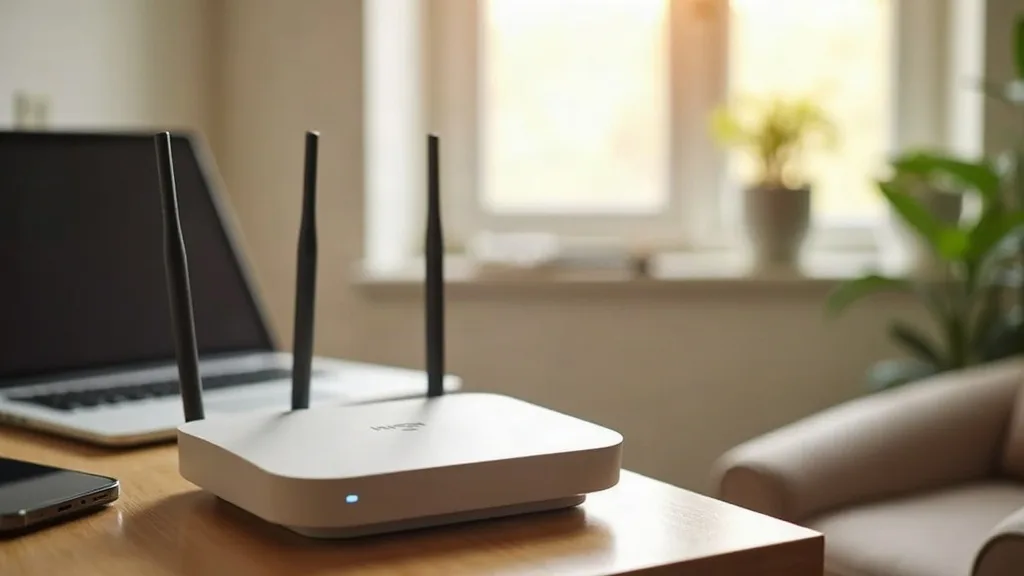
Most people spend less time choosing a router than they spend choosing a kettle, yet the router is the thing that keeps every device in your house online. Pick the wrong one and you end up with dead zones, dropped video calls and a household WhatsApp group full of complaints. Pick the right one and you barely think about it again for years.
This guide walks through how to choose a router without needing a networking qualification first. We'll cover what the spec sheet terms actually mean in practice, how your home's size and device count should shape your decision, and whether a standalone router or a mesh system is the better fit for you.
Key Takeaways
- Your home's size and layout matter more than any single spec on the box.
- Wi-Fi standards like Wi-Fi 5, 6 and 6E affect speed and congestion, but not everyone needs the newest one.
- Mesh systems solve coverage problems that a single router, however powerful, often can't.
- The number of connected devices affects performance more than most people expect.
- Ports, security features and software updates matter as much as wireless speed.
- Overspending on headline speed figures is one of the most common buying mistakes.
- A router bought two or three years ago can still be a sensible choice if it covers your home properly.
Start With Your Home, Not the Spec Sheet
Before comparing any routers, think about your actual living space. A one-bedroom flat has very different needs to a three-storey house with thick walls.
Wi-Fi signals weaken as they pass through walls, floors and furniture. Brick, concrete and plaster all cause more signal loss than plasterboard. If your home has solid walls or is spread across multiple floors, a single router sitting in one corner is unlikely to reach every room evenly.
A rough way to judge this: stand in the room furthest from where your router would sit. If you can't see the router's location from there, and there's more than one wall in between, you're likely to get a weaker signal in that spot. This single observation often matters more than any technical spec you'll read about later.
If you're currently dealing with patchy coverage or slow speeds in certain rooms, it's worth reading why is my Wi-Fi slow? A complete guide to fixing it before you buy anything new. Sometimes the fix is a setting change, not a new box.
How Many Devices Are Actually Connected
People usually underestimate how many devices share their Wi-Fi. Phones, laptops, smart speakers, smart plugs, a doorbell camera, a games console, a smart TV and two tablets add up fast. A typical family home can easily have 15 to 25 connected devices, even if only two or three are in active use at once.
Every connected device takes a small slice of the router's attention, even when idle. Budget routers aimed at light use can start to slow down once you pass 20 or so devices, particularly if several are streaming or gaming at the same time.
If your household has a lot of smart home gadgets, look for a router that explicitly mentions handling "dozens" of devices, or consider one with a dedicated IoT network. Some routers let you put smart plugs and cameras on a separate network from your main devices, which keeps things tidier and slightly more secure.
Understanding Wi-Fi Standards Without the Jargon
Spec sheets love throwing around terms like Wi-Fi 5, Wi-Fi 6, Wi-Fi 6E and Wi-Fi 7. Here's what they mean in plain terms.
Wi-Fi 5
This is the older standard, still common on budget routers and older devices. It works fine for browsing, streaming and general use in smaller homes, but it struggles more as device numbers grow.
Wi-Fi 6
This is the current mainstream standard. It handles multiple devices more efficiently than Wi-Fi 5, which matters more than raw speed for most households. If you're buying new in 2026, Wi-Fi 6 is a sensible baseline.
Wi-Fi 6E
This adds a new frequency band (6 GHz) that's less crowded, because older devices can't use it. It's genuinely useful if you live somewhere with lots of neighbouring Wi-Fi networks, such as a block of flats, where interference is a real problem.
Wi-Fi 7
This is the newest standard and offers improvements in speed and congestion handling, but device support is still catching up. Unless you already own Wi-Fi 7 devices, there's little urgency to chase this one yet.
The practical takeaway: Wi-Fi 6 suits most homes well. Only pay extra for 6E or 7 if you have a specific reason, such as heavy interference or newer devices that can actually use the faster bands.
Mesh Vs Standalone Router: Which Suits You
This is probably the biggest decision in the whole buying process, so it deserves its own proper look.
When a Standalone Router Is Enough
A single, well-placed router can comfortably cover a flat, a small house, or a bungalow. If your home is under roughly 100 square metres and mostly open-plan, one decent router placed centrally often reaches every room without issue.
Standalone routers also tend to be cheaper and simpler to manage. There's one box, one app (if any), and nothing extra to configure.
When Mesh Makes More Sense
Mesh systems use two or more units placed around your home, all working together as one network. They're built specifically to solve the coverage problems that a single router can't fix with signal strength alone.
Mesh suits:
- Homes over two floors, especially with solid walls
- Long, narrow floor plans where one end is far from the other
- Houses with a garden office, converted garage or extension
- Households that have tried a single router and still have dead spots
The trade-off is cost and a bit more setup. You're buying two or three units instead of one, and you need to find sensible places to plug them in (ideally near a power socket, not hidden in a cupboard).
A Middle Ground
Some standalone routers support adding a mesh extender later. This means you can start with one unit and expand only if you find you need to, rather than committing to a full mesh system from day one.
Speed Numbers on the Box Are Often Misleading
Router boxes love big numbers like "AX3000" or "up to 5700 Mbps". These figures are the combined theoretical maximum across all bands and antennas, not what any single device will actually experience.
Your real-world speed depends on:
- Your broadband plan's actual speed (a router can't exceed what your provider delivers)
- Distance from the router and the number of walls in between
- How many devices are active at the same time
- The capability of the device you're using (an older phone won't use the fastest bands anyway)
A helpful rule: for most homes, the difference between a router rated AX1800 and one rated AX5400 won't be noticeable in daily browsing and streaming. The bigger number mostly helps when you have many demanding devices running simultaneously, such as several 4K streams plus online gaming plus video calls at once.
Ports, Security and Software Matter More Than They Look
It's easy to focus entirely on wireless performance and forget the practical features that affect daily life.
Ethernet Ports
Check how many Ethernet ports the router has, and what speed they support. If you have a smart TV, games console or desktop PC, a wired connection is more reliable than Wi-Fi for those devices. Two to four ports is typical; fewer than that can feel limiting once you start plugging things in.
Automatic Updates
Routers need security updates just like phones and laptops do. Look for a router that updates its firmware automatically, rather than one that requires you to manually check a manufacturer's website. Understanding router settings that matter also helps you configure security properly once you've bought one. This is especially important for routers that stay in service for five years or more.
Guest Networks and Parental Controls
A separate guest network keeps visitors off your main network, which is handy and slightly more secure. Parental controls, if you need them, vary a lot in quality between brands, so it's worth checking reviews for how usable they actually are rather than just whether the feature exists.
App-Based Setup
Most routers now use a companion app rather than a web page for setup. This tends to be easier for most people, though a few prefer the more detailed control a browser-based interface offers. Neither is wrong, it's just a preference.
Matching Router Choice to Household Type
It helps to picture a few common scenarios.
A single person in a flat, light use: A budget to mid-range Wi-Fi 6 standalone router is plenty. There's no need to overspend here.
A family of four in a three-bedroom house with lots of devices: A mid-range mesh system, or a strong standalone router with the option to add a mesh point later, handles the device count and coverage better.
A household with a garden office or converted loft: Mesh is almost always the better fit here, since distance and extra walls are exactly what it's designed for.
Someone in a block of flats with lots of neighbouring networks: Wi-Fi 6E becomes genuinely useful, since the 6 GHz band avoids most of the interference from nearby routers.
A home lab enthusiast or heavy smart home user: Look for a router with strong device handling, a separate IoT network option, and solid Ethernet port count, since these households often run more wired equipment than average.
Budget: Where It's Worth Spending More
Not every pound spent on a router buys the same value. Generally, it's worth paying more for:
- Better coverage technology (mesh, if you need it) over raw headline speed
- Reliable automatic security updates
- A sufficient number of Ethernet ports for your setup
It's usually not worth paying extra for the newest Wi-Fi standard if your devices can't use it yet, or for marketing numbers like "AX6000" if your home is small and lightly used. Spend based on your actual home and habits, not the biggest number on the shelf.
Conclusion
Learning how to choose a router comes down to matching the device to your home, not chasing the highest number on the box. Start by thinking honestly about your home's size and layout, count up roughly how many devices you have connected, and decide whether coverage gaps mean you need mesh rather than a single router. From there, Wi-Fi 6 is a sensible standard for most households, with 6E or mesh reserved for specific problems like interference or multi-floor coverage.
A good next step is simply to walk through your home with your current Wi-Fi signal in mind, noting which rooms feel weak, before you spend any money at all.
FAQ
Do I Need Wi-Fi 6 or Is Wi-Fi 5 Still Fine?
Wi-Fi 5 still works for light use in smaller homes, but Wi-Fi 6 handles multiple devices more efficiently and is now the standard price point for new routers. If you're buying new, there's little reason to choose Wi-Fi 5 unless it's significantly cheaper and your needs are minimal.
Is Mesh Always Better Than a Single Router?
No. Mesh solves coverage problems across larger or multi-floor homes, but it costs more and adds extra units to manage. A single router is often perfectly adequate for a flat or small house.
How Many Devices Can a Typical Router Handle?
Most mid-range routers handle 20 to 30 connected devices without trouble, though only a handful may be actively streaming or gaming at once. Budget routers may start to struggle above 15 to 20 devices.
Does a More Expensive Router Mean Faster Internet?
No. Your router can't make your internet connection faster than what you pay your provider for. A better router improves how efficiently that speed is shared around your home, not the speed itself.
Should I Buy My Own Router or Keep the One From My Provider?
Provider routers are often basic but free, which suits light users fine. Buying your own router gives better coverage options, mesh support and features like separate guest networks, which is worth it if you've outgrown the basic model.
How Often Should I Replace My Router?
Most routers remain perfectly usable for four to six years, as long as they still receive security updates. Replace one sooner if it's no longer updated, if your device count has grown a lot, or if coverage problems persist even after troubleshooting.
Will Wi-Fi 6E or Wi-Fi 7 Make a Noticeable Difference for Me?
Only if you already have devices that support them and you're dealing with heavy interference or very demanding simultaneous use. For most households, Wi-Fi 6 delivers a very similar everyday experience.