Network 39
If you've just had a tow hitch fitted to your Model Y, or you bought one second-hand and can't find the thing, you're not alone. Tesla tucks the hitch away so neatly that plenty of owners spend ages poking around the rear bumper wondering if they've been sold a car without one. This guide shows you exactly where it hides, how to pop the cover off without marking the paint, and how to switch on trailer mode so the car knows what's going on. It takes about five minutes once you know where to look, and you don't need any tools.
What You'll Need
- Your Model Y key card or phone with the Tesla app
- A soft cloth (optional, for grip and to avoid fingerprints on the bumper)
- Patience for the first go, since the cover can feel stiff
Step 1: Find Where the Hitch Is Hidden
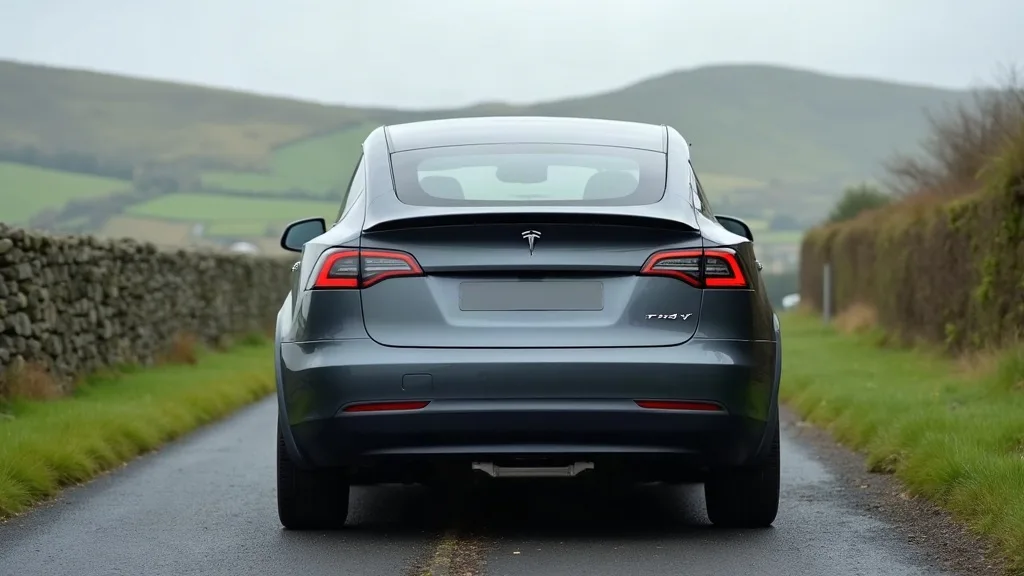
Yes, the Model Y tow hitch is hidden. It sits behind a body-coloured panel on the lower rear bumper, right in the middle, below the Tesla badge and numberplate. There's no visible bolt, lever, or obvious seam from a few steps back, which is exactly why so many owners assume it isn't there at all.
Get down low behind the car, roughly knee height, and look at the centre of the rear bumper. You'll notice a rectangular section, slightly different in shape from the rest of the bumper, with a very fine line running around its edges. That's the tow bar cover. It's moulded to match the bumper's curve, so from driving height it blends in almost perfectly.
If you're still not sure what you're looking at, run a finger along the bumper at that height. You should feel a subtle seam forming a rounded rectangle, roughly the width of two hands.
Step 2: Locate the Release Point
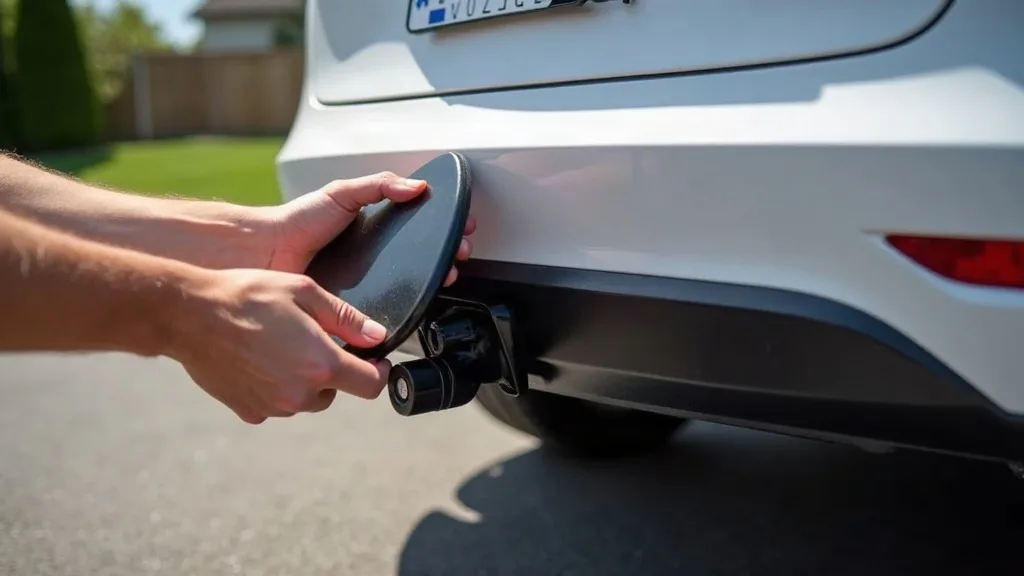
Once you've spotted the panel, look (or feel) just above its lower edge, slightly off to one side rather than dead centre. There's a small indent or lip here on most Model Y hitch covers, designed as a finger grip rather than a button. Some earlier cars have a tiny push-release instead, which clicks inward slightly before the panel pops forward.
Don't mistake this for a design flaw or loose trim. It's meant to sit slightly proud so you can get a fingernail or fingertip behind it.
Step 3: Open the Cover Without Scratching the Paint
This is the step most people get wrong, usually by digging in with keys or a screwdriver because the panel feels stuck. Don't do that. Here's the safer way:
- Press gently inward on the panel near the grip point first. Many covers need a small push before they'll release outward.
- Use the pad of your finger, not a nail, to hook the edge of the panel once it loosens.
- Pull the cover towards you in one smooth, steady motion rather than yanking it.
- If it feels tight, wiggle it very slightly side to side while pulling, rather than forcing it straight out.
If it still won't budge after a couple of gentle attempts, stop and check you're pressing the right spot. Forcing an unreleased panel is the main cause of scuffed paint or a snapped retaining clip.
For extra peace of mind, drape a soft cloth over your fingers before you pull. It stops oily fingerprints building up on the paint and gives you a slightly better grip if your hands are cold or damp.
Step 4: Remove the Cover Fully
Once the panel pops forward, it's usually held by one or two small plastic tabs or a short tether, depending on your car's age and hitch type.
- Ease the cover out slowly, keeping it level.
- If there's a tether, don't pull past its length. Just let the cover hang or rest it gently against the bumper.
- If it comes away completely, place it somewhere safe immediately. These covers are easy to lose in a garage or car park, and Tesla doesn't make them cheap to replace.
You should now see the tow ball mount itself, usually a dark metal receiver or a fold-down arm, sitting in the cavity behind where the cover was.
Step 5: Attach or Fold Out the Tow Bar
Depending on which hitch kit is fitted, you'll either:
- Pull out a fold-down arm and click it into place until it locks (you'll usually hear or feel a solid click), or
- Slot in a detachable tow ball using the supplied key or knob, turning it until it's fully secure.
Give the tow ball a firm tug once it's in place. It shouldn't move, wobble, or feel loose at all. If it does, it's not locked properly, so remove it and try again before hitching up anything.
Step 6: Turn On Trailer Mode
With the hitch physically ready, the car still needs to know a trailer's coming. This is where trailer mode comes in, and it's just as easy to miss as the hitch itself.
- From the touchscreen, go to the Controls menu.
- Tap Towing, then select Trailer Mode.
- Confirm the toggle is switched on.
Trailer mode changes a few things behind the scenes: it adjusts the parking sensors and cameras so they don't throw constant trailer warnings, and it tweaks the car's stability systems for towing. Some Model Y configurations also remind you to enable this via a prompt when you plug in a trailer's electrical connector, but it's worth checking manually too, since the reminder doesn't always appear.
Step 7: Refit the Cover When You're Done Towing
Once you've unhitched, don't just toss the cover in the boot and forget it. Refitting it properly keeps the rear bumper looking factory-fresh and stops rain or road grime getting into the cavity.
- Line the panel up with the opening, checking the curve matches the bumper shape.
- Push gently from the centre outward until you feel or hear it click back into its tabs.
- Run a finger around the edge to confirm it's flush all the way round, with no corner sticking out.
If one corner won't seat properly, don't force it. Take it off again and check nothing (a bit of grit, a stray tab) is blocking it from sitting flush.
Common Mistakes to Avoid
- Prying with keys or a screwdriver. This is the quickest way to scratch the paint or chip the panel edge. Fingers only.
- Pulling before pressing. Most covers need an inward push before they'll release outward, so pulling straight away often just jams them further.
- Forgetting trailer mode. Hitching up without switching it on can mean extra sensor warnings and less accurate handling feedback while towing.
- Losing the cover. It's small, it's the same colour as the car, and it's easy to set down and forget. Keep it somewhere specific every time.
- Not checking the tow ball is locked. A quick tug test before loading anything saves a nasty surprise on the road.
- Overlooking interior prep. If you're loading gear before a long tow, it's worth checking what's already protecting your boot and cabin space. For instance, if you're wondering does the Tesla Model Y come with floor mats, it's worth knowing before you start hauling muddy kit around.
Conclusion
Working out how to open the Model Y tow hitch is one of those jobs that feels fiddly the first time and completely obvious every time after that. Find the panel low on the rear bumper, press before you pull, ease it out gently, then flip on trailer mode before you hitch anything up. Do that once, and you'll never need to search for it again.
FAQ
Is the Model Y tow hitch hidden?
Yes. It sits behind a body-coloured cover on the lower rear bumper, with no visible button or handle from a normal viewing distance. You need to know roughly where to press to release it.
How do I access the Model Y tow hitch cover?
Kneel behind the car and look at the centre of the rear bumper, below the badge. Press gently near the lower edge of the panel to release it, then pull it forward smoothly.
How do I remove the Model Y tow hitch cover completely?
Once the panel pops forward, check for a tether or retaining tabs. Ease it out slowly and keep it level, and store it somewhere safe since it's easy to misplace.
What does the Model Y tow hitch look like?
Before you open it, it looks like a plain rectangular section of bumper with a faint seam. Once open, you'll see a dark metal tow ball mount or a fold-down arm sitting in a recessed cavity.
How do I turn on trailer mode after opening the hitch?
Go to Controls, then Towing, then switch on Trailer Mode from the touchscreen. This adjusts the sensors and stability settings for towing.
Can I damage the paint opening the tow bar cover?
You can if you pry it with something hard like a key or screwdriver. Using your fingers and pressing before pulling avoids this completely.