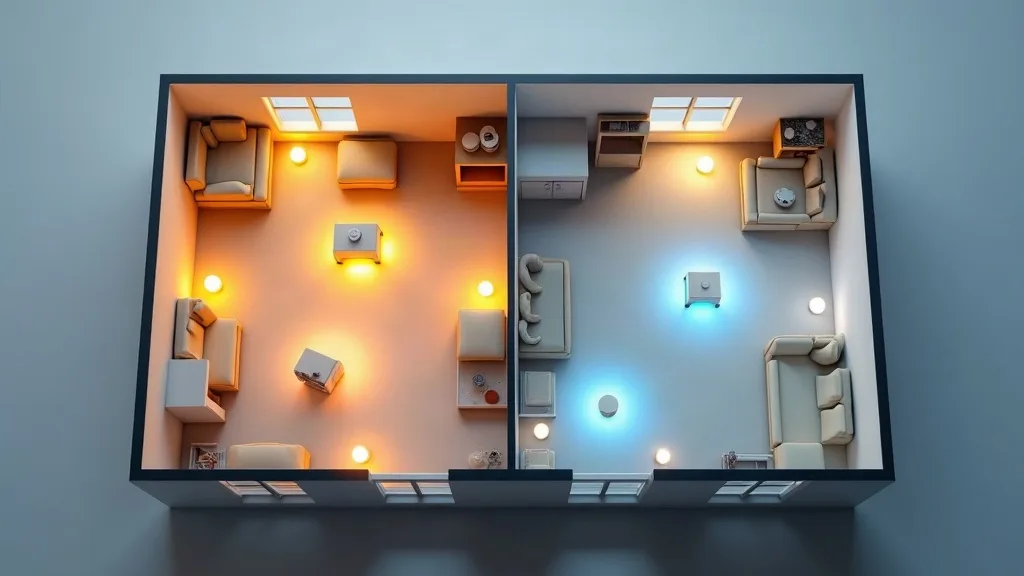
Choosing the best mesh Wi-Fi system for your home shouldn't feel like decoding a spec sheet written by an engineer. This review looks at mesh systems through the lens of real UK homes: cramped flats, tall terraced houses, and old properties with walls that seem to eat Wi-Fi signals. Whether you're replacing a tired ISP router or finally giving up on a single extender plugged into the hallway, this guide will help you work out what actually matters and what's just marketing noise.
Key Takeaways
- Mesh systems solve different problems depending on your home's shape, not just its size.
- Flats often need fewer nodes but better app controls, while multi-storey houses need stronger backhaul between units.
- Thick-walled older homes benefit most from wired backhaul options rather than relying purely on wireless mesh links.
- Setup ease and app quality vary a lot between brands, even when raw coverage numbers look similar.
- Verdict: the best mesh Wi-Fi system is the one matched to your home's layout and walls, not simply the one with the most nodes in the box.
Overview
Mesh Wi-Fi systems work by spreading multiple nodes around your home, each one talking to the others to create one continuous network. Unlike a single router, you don't have to manually connect to a different network name as you move from room to room. Most modern systems support Wi-Fi 6, with some newer and pricier options offering Wi-Fi 6E for extra bandwidth in less congested frequency bands.
Here's a general breakdown of the features that matter most when comparing systems for UK homes.
| Feature | Why it matters | What to look for |
|---|---|---|
| Node count | Determines coverage area | 2 nodes for flats, 3+ for multi-storey |
| Backhaul type | Affects speed between nodes | Wired (Ethernet) beats wireless-only in thick walls |
| Wi-Fi standard | Future-proofing and speed | Wi-Fi 6 is a sensible baseline; Wi-Fi 6E if budget allows |
| App quality | Day-to-day usability | Clear device lists, parental controls, easy guest networks |
| Setup time | First impressions matter | Most good systems take 15 to 30 minutes |
If you're still unsure whether your current router is the actual problem, it's worth reading Is Your ISP Router Good Enough? When to Upgrade before spending money on a mesh kit.
Pros
- Even coverage throughout the home because multiple nodes share the load, rather than one router straining to reach every room.
- Simple roaming between rooms since devices switch nodes automatically without you noticing a thing.
- Easier to expand later by adding extra nodes if you move to a bigger house or add an extension.
- Better handling of multiple devices which matters more now that smart plugs, cameras and speakers all want a slice of your bandwidth.
- Decent parental controls and guest networks are often built into the apps, saving you from fiddly router settings pages.
Cons
- Costs more than a single router or extender, especially if you need three or more nodes for a larger house.
- Wireless-only backhaul struggles in older homes where thick walls and chimney breasts block the signal between nodes.
- Some apps lock you into cloud accounts meaning local network changes sometimes require an internet connection to make.
- Advanced settings are often hidden which is great for beginners but frustrating if you like fine-tuning your network.
Mesh Wi-Fi for Flats and Smaller Homes
If you live in a one or two-bedroom flat, you may not need mesh at all. A single decent router can often cover the whole space, so it's worth checking Mesh Wi-Fi vs Range Extender: Which Do You Need? before buying anything.
That said, concrete floors and lift shafts in blocks of flats can cause dead spots even in small spaces. A two-node mesh system usually does the job here, with one unit near your router and the second in the room that currently struggles most. Setup in flats tends to be quick since there's less distance for nodes to cover, and most systems will self-optimise within a few minutes of being plugged in.
App quality matters more than raw speed in this scenario. You're not fighting distance, you're fighting interference from neighbouring networks, so look for systems with clear channel management and simple troubleshooting screens.
Mesh Wi-Fi for Multi-Storey Houses
Three or four-storey terraced houses are where mesh systems earn their keep. Signal has to travel not just across rooms but up through floors, and standard routers often leave the top floor with a weak, unreliable connection.
For these homes, three nodes placed on different floors usually gives the most even coverage. Put one node centrally on the ground floor near your main internet connection, then space the others up the stairwell rather than tucking them into bedrooms. Wireless backhaul can work well here if your stairwell doesn't have too many solid walls, but wired backhaul through Ethernet cabling will always be more reliable if you can manage it.
If you're already experiencing frequent drops rather than just weak signal, it's worth working through Wi-Fi Keeps Dropping? 10 Ways to Fix It first, since some dropouts are caused by interference or outdated firmware rather than coverage gaps that mesh alone can fix.
Mesh Wi-Fi for Thick-Walled Older Homes
Victorian and older properties often have solid brick or stone walls that modern routers really struggle to penetrate. This is where wireless mesh backhaul shows its limits most clearly, because every wall between nodes weakens the connection further.
The most reliable fix for these homes is running Ethernet cable between nodes wherever possible, even if it's just one cable to the furthest point. Many mesh systems support this kind of wired backhaul setup without any extra configuration, and it makes a noticeable difference to speed and stability. If running cable isn't an option, placing nodes with a clear line of sight (even through an open doorway) rather than inside separate rooms with solid doors can help.
Setup takes a bit longer in these homes since you'll likely need to test a few different node placements before settling on the best one. Expect to spend closer to an hour getting it right, rather than the 15 minutes promised in the marketing material.
Setup, App Experience and Day-to-Day Use
Across all three scenarios, the setup process has become noticeably easier over the past few years. Most systems now guide you through a simple phone app, scanning a QR code on each node and walking you through placement suggestions based on signal strength.
Where systems differ most is in ongoing use. Some apps bury useful settings like device prioritisation or guest network creation several menus deep, while others surface them clearly on the home screen. If you're setting up smart home devices alongside your mesh system, a clear app becomes even more important, so it's worth reading Smart Home Wi-Fi Setup: A Beginner's Guide to understand what extra settings you might need to adjust.
Security settings are another area worth checking before you commit to a system. Look for systems that make it easy to update firmware automatically and offer straightforward guest network options, and compare this against the general advice in How to Secure Your Home Wi-Fi Network.
Who Should Buy It
Mesh Wi-Fi systems make the most sense for households with more than two floors, homes with thick or solid walls, or anyone currently relying on a single extender that only half works. If your current setup leaves you standing in one specific spot in the kitchen to get decent signal, mesh will likely fix that.
They're less necessary for small flats with simple layouts, where a single well-placed router may be all you need. If you're still deciding between a new router altogether or a mesh system, How to Choose a Router: A Plain-English Buying Guide is a useful next step.
Verdict
There isn't one single best mesh Wi-Fi system that suits every UK home, and anyone claiming otherwise is probably trying to sell you something. The right choice depends on how many floors you have, how thick your walls are, and whether you can run even one Ethernet cable between nodes. Match the system to your home rather than the other way around, and you'll get far more reliable results than chasing whichever box has the biggest numbers printed on it.
FAQ
How many mesh nodes do I actually need?
Most flats need two nodes, while houses with three or more floors usually benefit from three. Add more only if you still have dead spots after proper placement testing.
Does mesh Wi-Fi slow down my internet speed?
A well-set-up mesh system shouldn't noticeably slow your connection. Wireless backhaul can add a small amount of lag compared to wired backhaul, though most households won't notice day to day.
Can I mix mesh nodes from different brands?
Generally no, since most systems use proprietary technology to communicate between nodes. Stick to one brand's ecosystem unless the product specifically advertises cross-brand compatibility.
Is wired backhaul really necessary?
It isn't essential for most homes, but it does help a great deal in houses with thick walls or multiple floors. Even one wired connection between your main node and the furthest point can improve things significantly.
Will mesh Wi-Fi fix my smart home device problems?
It often helps, especially with devices that struggled to reach your router before. For more specific smart home troubleshooting, see How to Extend Wi-Fi Range to Every Room.
How much should I expect to spend?
Prices vary quite a bit depending on node count and Wi-Fi standard, so check the current price for specific systems rather than relying on older figures you might have seen elsewhere.