So you want to host your own website, and you've probably seen two very different numbers floating around online. Some people swear it costs almost nothing once you've got spare hardware lying around. Others point to electricity bills and say it's barely cheaper than a budget hosting plan. Both can be true at once, depending on what you already own and how much you value your evenings tinkering with servers.
This article breaks down the real costs of hosting a website from home, from hardware and domain names to the electricity hum in the background, and compares that against cheap paid hosting. No invented prices, just a clear way to work out what it'll actually cost you.
Key Takeaways
- Home hosting has upfront hardware costs that cheap paid hosting avoids entirely.
- Electricity for a low-power device running constantly adds up over a year, even if each day's cost looks tiny.
- You still need to pay for a domain name whether you self-host or use a hosting company.
- Paid hosting bundles in things like backups, support and security patching that you'd otherwise manage yourself.
- Home hosting makes more sense as a learning project or hobby than as a way to save money.
- Your home internet connection and its upload speed can be a hidden limiting factor.
- A simple cost comparison over two or three years gives a much clearer picture than a single month's numbers.
The True Cost Of Home Hosting
When people ask how much it costs to host your own website at home, they usually mean the obvious bit: buying a cheap mini PC, an old laptop, or a Raspberry Pi to run the server software. That's a real cost, but it's only one piece of a bigger picture.
The full list includes hardware, electricity, your domain name, and the time you spend keeping everything running. Some of these costs are one-off, others repeat every month whether your site gets ten visitors or ten thousand. Treating it as a single purchase rather than an ongoing commitment is where a lot of people underestimate the real total.
Hardware: The One-Off (Ish) Cost
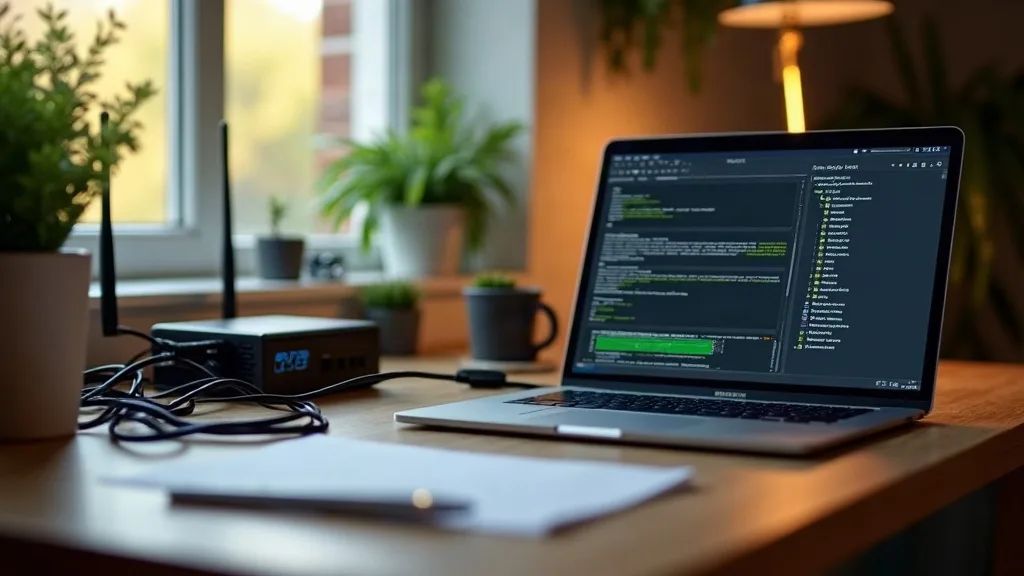
If you already own a spare laptop, an old desktop, or a small device like a Raspberry Pi, this part of the cost might be zero. Many people start their home server journey with hardware they were going to throw out anyway.
Buying something new changes the maths. A basic mini PC or Raspberry Pi kit sits at the lower end, while a proper small server with more storage and memory costs noticeably more. Either way, this is a cost you pay once, or occasionally when something breaks or needs upgrading.
If you're completely new to this, it's worth reading Self-Hosting at Home: A Beginner's Guide before buying anything. It'll help you avoid overspending on hardware you don't actually need for a simple website.
Replacement And Upgrades
Hardware doesn't last forever, and a device running 24 hours a day works harder than one you switch on occasionally. Hard drives and SD cards especially wear out faster under constant use. Budgeting a small amount each year for eventual replacement is more realistic than assuming your first purchase will last indefinitely.
Electricity: The Cost Nobody Mentions
This is the cost most beginners forget entirely. A website needs to be available all the time, which means your server needs to run all the time too, not just when you're sat at your desk.
A low-power device like a Raspberry Pi uses very little electricity per hour, but "very little" multiplied by every hour of every day for a year stops being negligible. An old desktop PC repurposed as a server uses considerably more than a purpose-built low-power device, and that difference shows up on your electricity bill over months rather than days.
The honest answer is that electricity costs vary depending on your hardware choice, your electricity tariff, and how efficiently the device is configured. It's not usually the biggest cost on this list, but it's the one that quietly adds up because nobody checks it until the bill arrives.
Domain Names: A Cost You Can't Avoid Either Way
Whether you host at home or pay for hosting, you'll want a proper domain name rather than relying on a free subdomain or your home IP address. This cost is identical regardless of where your website physically lives, so it doesn't actually tip the scales between home hosting and paid hosting.
Domain prices vary by the extension you choose (.co.uk, .com, and so on) and the registrar you use, plus renewal fees that repeat every year. Some registrars offer a cheap first year followed by a higher renewal price, so it's worth checking the ongoing cost, not just the introductory one.
Internet And Upload Speed
Most home broadband packages are built around fast downloads and much slower uploads. That's fine for streaming and browsing, but it matters a lot when you're the one serving the website rather than requesting one.
If your upload speed is poor, visitors to your site will notice pages loading slowly, especially if anyone outside your local network tries to view it. This is less about ongoing cost and more about whether your current setup can even support the idea comfortably. If you're unsure how your connection performs, How to Diagnose Home Network Problems Step by Step is a good place to start checking.
Some internet providers also block the ports needed to run a web server, or charge extra for a static IP address, which is another cost (or at least a hurdle) some people don't discover until they're already set up.
Security And Maintenance Time
Paid hosting companies handle a long list of background tasks: security patches, firewall rules, backups, and uptime monitoring. When you host at home, all of that becomes your job.
This isn't a cash cost in the same way electricity is, but it's a real one measured in time and risk. An unpatched home server exposed to the internet is a genuine security concern, not just for your website but for your whole home network. Running through a Home Network Security Checklist: 15 Steps That Matter before you expose anything to the public internet is a sensible habit, and understanding your router settings properly helps you avoid leaving unnecessary doors open.
If something goes wrong at 2am, nobody is on call except you. That's fine for a hobby project, but worth factoring in if your website matters to a business or needs to stay online reliably.
Comparing Against Cheap Paid Hosting
Cheap shared hosting plans bundle together a lot of what you'd otherwise have to build yourself at home: server uptime, basic security, backups, and often a simple one-click way to install a website. The monthly cost varies a lot depending on the provider and what's included, but it's generally a modest, predictable amount rather than a collection of separate costs you have to track yourself.
The fairer comparison isn't "hardware cost versus one month of hosting." It's your total home hosting cost (hardware, electricity, your time, occasional replacements) added up over two or three years, compared against that same period of paid hosting. For a small personal website or blog, cheap hosting often works out similar in cost, sometimes cheaper, once you include everything.
Where home hosting genuinely wins is when you're already running other things on your home network and your website is just one more small project sharing existing hardware and electricity. In that case, the marginal cost of adding a website is much lower than starting from scratch.
When Home Hosting Actually Makes Sense
Home hosting rarely makes financial sense as a standalone decision. It makes more sense as part of a bigger home lab setup, where you're already running other self-hosted services and learning how networking works.
It's also a good fit if you genuinely want to understand how servers, DNS, and networking fit together, rather than treating your website as a black box someone else manages. If that's your goal, learning the basics of IP addresses, DNS and DHCP will make the whole process click into place much faster.
A Simple Way To Decide
Ask yourself honestly: do you want a website, or do you want a learning project that happens to produce a website? If it's the former, cheap paid hosting is usually the calmer choice. If it's the latter, home hosting is worth the extra fiddling, and the cost difference stops mattering as much because you're paying for the experience as much as the result.
Conclusion
So, how much does it cost to host your own website at home? The honest answer is that it depends heavily on hardware you already own, your electricity tariff, and how much of your own time you're willing to spend on maintenance and security. Once you add all of that up over a year or two, it often lands close to what cheap paid hosting would cost anyway, sometimes more, sometimes less.
The practical next step is to list what you already have (spare hardware, home network setup, and your tolerance for troubleshooting) before spending anything new. That alone will tell you whether home hosting is the frugal option it's often made out to be, or simply a different way to spend a similar amount of money while learning something useful along the way.
FAQ
Is home hosting actually cheaper than paid hosting?
It depends on what hardware you already own and how much you value your own time. Once you factor in electricity, occasional hardware replacement, and the effort of handling security yourself, the savings compared to cheap paid hosting are often smaller than people expect.
Do I still need to buy a domain name if I host at home?
Yes, a domain name is a separate cost from hosting and applies whether your website lives at home or with a hosting company. You'll also need to renew it annually, and renewal prices sometimes differ from the first-year price.
Will home hosting slow down my home internet?
A small personal website with modest traffic usually has little noticeable effect on everyday browsing. The bigger concern is usually your upload speed being limited in the first place, which affects how fast your website loads for visitors rather than how your own browsing feels.
Is it safe to host a website from my home network?
It can be, as long as you take sensible precautions like keeping software updated, using strong passwords, and isolating the server where possible. Running through a home network security checklist before exposing anything to the public internet is a good habit to build early.
What happens if my power or internet goes out?
Your website goes offline until power or internet is restored, which is one of the biggest practical downsides compared to paid hosting. Paid hosting providers generally run on infrastructure with backup power and redundant connections, which home setups can't easily match.
Do I need expensive hardware to host a simple website?
No, a low-power device like a Raspberry Pi or an old spare laptop is often enough for a small personal site with modest traffic. You only need more powerful hardware if your site handles a lot of visitors or runs several other services alongside it.
Is home hosting worth it just to learn?
Yes, if learning is genuinely your goal, home hosting teaches you far more about how websites, networking and security actually work than paid hosting ever will. It pairs well with other home lab projects, so the knowledge and even some of the hardware costs end up shared across more than one use.