Network 39
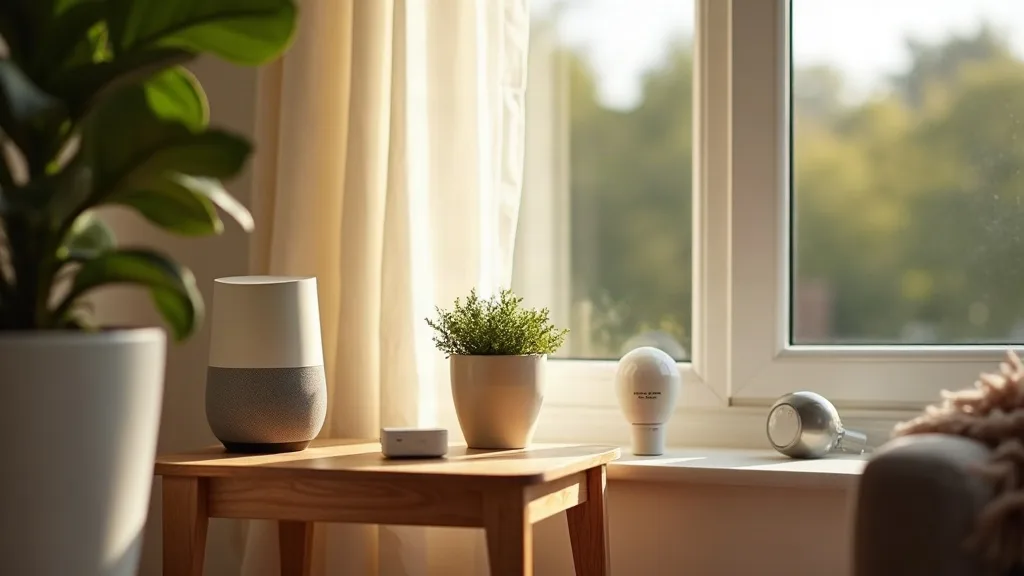

If you've started collecting smart home gadgets, you've probably noticed they don't all speak the same language. Some use Zigbee, others Thread, and a growing number support Matter. Picking the best smart home hub UK shoppers can actually rely on means understanding which devices talk to which radios, and that's exactly what this guide sorts out. Whether you're a complete beginner or already tinkering with Home Assistant, there's a hub category here for you.

Key Takeaways
- Dedicated hubs like Aqara and SmartThings offer the easiest setup but can lock you into one ecosystem.
- Smart speakers with built-in Zigbee or Thread radios (Amazon Echo, Google Nest) are convenient but limited in flexibility.
- USB dongles for Home Assistant give the most control and future-proofing, but need more technical confidence.
- Matter is improving cross-brand compatibility, though it's not yet a complete fix for every device.
- Verdict: for most households, a smart speaker hub covers the basics, but anyone serious about smart home tinkering should look at Home Assistant with a Zigbee or Thread dongle.
Overview
Smart home hubs generally fall into three camps: dedicated standalone hubs, smart speakers with built-in radios, and USB dongles paired with software like Home Assistant. Each handles Zigbee, Thread and Matter differently, and that affects which devices will play nicely together. Before buying anything, it helps to understand the basics covered in Matter and Thread explained for smart home beginners, since a lot of buying decisions come down to which protocols your gadgets actually use.
| Hub Type | Zigbee | Thread | Matter | Best For |
|---|---|---|---|---|
| Dedicated hub (Aqara, SmartThings) | Yes | Often | Yes | Beginners wanting simplicity |
| Smart speaker (Echo, Nest) | Varies by model | Varies by model | Yes | Voice control households |
| USB dongle + Home Assistant | Yes | Yes | Yes (via add-ons) | Enthusiasts and tinkerers |
Prices vary quite a bit depending on brand and features, so check the current price before deciding, rather than relying on older figures you might see online.
Pros
- Wide protocol coverage across hub types: whichever route you choose, there's now a hub that supports Zigbee, Thread and Matter together.
- Matter is improving cross-brand compatibility: devices from different manufacturers are increasingly able to work on the same network.
- Home Assistant dongles offer long-term flexibility: you're not stuck with one company's app or decisions.
- Smart speakers double up as voice assistants: you get hub functionality without buying extra hardware.
- Dedicated hubs are usually the simplest to set up: good for people who want things working quickly without much fuss.
Cons
- Ecosystem lock-in is still common: some dedicated hubs push you toward their own branded accessories.
- Matter support varies by device firmware: older gadgets may need an update, or might never get full support.
- Home Assistant has a learning curve: it's powerful, but not instantly intuitive for complete beginners.
- Smart speaker hubs can be limited: not all models include Zigbee or Thread radios, so check carefully before buying.
- Mixing protocols can cause instability: running several radios in one household sometimes leads to dropped connections.
Setting Up and Day-to-Day Use
Getting a dedicated hub running is usually the quickest experience. Most ship with an app that walks you through pairing devices step by step, and Zigbee devices tend to join without much drama. Thread devices can be a little fussier, often needing a Thread border router nearby, which some hubs include and others don't.
Smart speakers follow a similar pattern, though the process is tied to the manufacturer's app rather than a separate hub interface. Adding devices through Alexa or Google Home is straightforward, but you're limited to what that ecosystem supports. If you've had trouble getting devices online in the past, our guide on why won't my smart device connect to Wi-Fi covers a lot of the common sticking points.
Home Assistant with a USB dongle takes longer to set up initially, but day-to-day use becomes very smooth once configured. You get one dashboard for everything, regardless of brand, which is hard to beat if you've got a mixed bag of devices from different manufacturers.
Reliability and Range
Zigbee mesh networks tend to be reliable once established, since each powered device acts as a repeater, extending coverage around the house. Thread works similarly, using a mesh of compatible devices to strengthen the network. Range problems are usually more about device placement than the hub itself.
Wi-Fi interference can still cause headaches, particularly if your router and smart home devices are competing for the same channels. It's worth reading up on 2.4GHz vs 5GHz Wi-Fi if you're noticing drops or slow responses, since band congestion is a common culprit. A solid underlying network, as described in our smart home Wi-Fi setup guide, makes every hub type perform better.
Ecosystem Flexibility and Future-Proofing
This is where the three hub types really diverge. Dedicated hubs and smart speakers are generally built to favour their own ecosystem, even with Matter support bolted on. That's fine if you're happy staying within one brand, but restrictive if you like mixing and matching.
Home Assistant dongles are the most future-proof option because they're not tied to any single company's roadmap. If a manufacturer discontinues support for an older hub, Home Assistant users are less affected, since the software itself keeps evolving independently. This flexibility does come with more setup responsibility, though, and it helps to already be comfortable with some basic networking or home lab experience. If that sounds appealing, our piece on home lab for beginners is a good next step, and pairing Home Assistant with one of the best mini PCs for a home lab is a popular combination among enthusiasts.
Who Should Buy It
A dedicated hub suits people who want a tidy, guided setup without much technical fuss, especially if they're committing to one ecosystem anyway. Smart speaker hubs make sense for households that already use Alexa or Google Assistant daily and want hub features as a bonus rather than the main event. Home Assistant with a USB dongle is best for anyone who enjoys tinkering, wants cross-brand compatibility, or already has some home lab experience. It's not the easiest starting point, but it rewards patience with long-term flexibility.
Verdict
There isn't one single best smart home hub UK households should buy, because it really depends on how much control you want versus how much simplicity you need. For most people starting out, a smart speaker or dedicated hub will cover everyday needs without any fuss. For anyone who wants full control over their smart home and doesn't mind a bit of setup time, a Home Assistant dongle is the stronger long-term choice. Either way, make sure your Wi-Fi network is solid first, since a shaky connection undermines even the best hub.
FAQ
Do I need a hub if my devices support Matter?
Not always, but a hub still helps manage Zigbee and Thread devices that aren't fully Matter-native yet. Matter is improving interoperability, but many existing devices still rely on their original protocol behind the scenes.
Can I use more than one hub at once?
Yes, and many households do, especially when mixing ecosystems like Alexa and Home Assistant. It can get a little complex, but it's generally manageable with some patience.
Is Thread better than Zigbee?
They're similar in purpose but differ in structure. Thread is newer and designed to work closely with Matter, while Zigbee has a longer track record and wider device support.
Will a powerline adapter affect my smart home hub?
It shouldn't cause major issues, but mesh network devices rely on good Wi-Fi and radio conditions. If you're using powerline adapters, our guide on whether powerline adapters work explains the pros, cons and setup tips.
Do I need a strong mesh Wi-Fi system for smart home hubs?
A stable network definitely helps, especially in larger homes with many devices. If you're unsure which system suits your home, our roundup of the best mesh Wi-Fi systems for UK homes is a useful starting point.
Is Home Assistant difficult to set up?
It has a learning curve compared to dedicated hubs, but plenty of guides and community support make it manageable. If you enjoy a bit of tech tinkering, it's a rewarding project rather than a frustrating one.