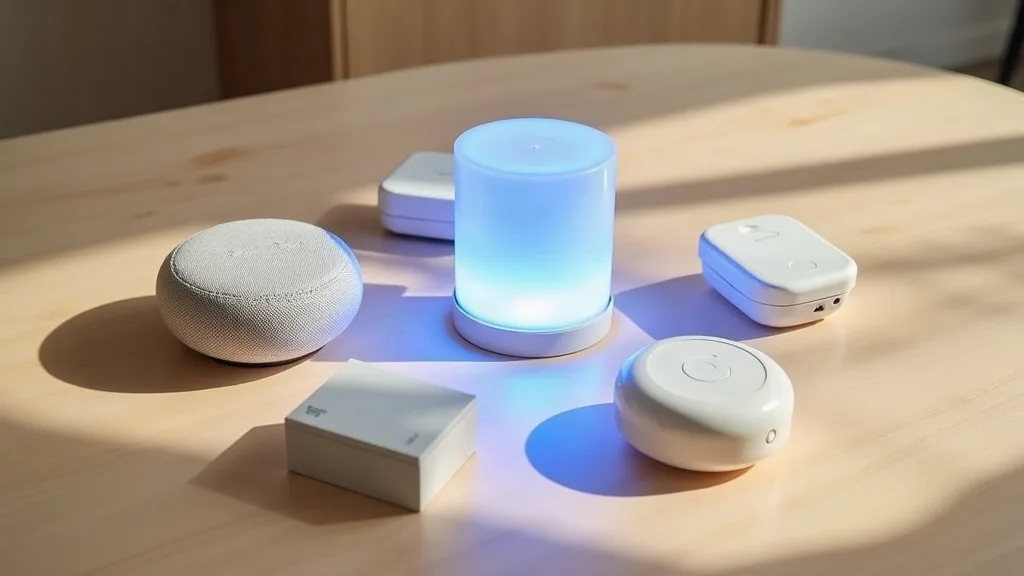
If you've bought a smart bulb in the last year or two, you've probably noticed a strange little badge on the box that just says "Matter". It sits next to the usual Wi-Fi and Bluetooth logos, and nobody really explains what it means at the point of sale. That's a shame, because it's the closest thing the smart home world has to a universal language.
This guide breaks down Matter and Thread explained in plain English: what they actually do, how they're different from the Wi-Fi-only gadgets you've probably already got, and what it means when you're next stood in a shop trying to decide which smart plug to buy.
Key Takeaways
- Matter is a shared smart home standard that lets devices from different brands work together without extra hubs or apps.
- Thread is a low-power wireless network built for smart home devices, separate from your Wi-Fi.
- Wi-Fi-only smart devices can work well, but they often need brand-specific apps and can clog up your router.
- A Thread Border Router (often built into smart speakers or hubs) connects Thread devices to your main network.
- Buying Matter-certified gear reduces the risk of ending up with five different apps for five different gadgets.
- Thread devices tend to respond faster and use less power than Wi-Fi equivalents, useful for battery sensors.
- You don't need to replace existing smart devices immediately, but it's worth checking Matter support before new purchases.
What Is Matter, Really?
Matter is a set of rules that smart home manufacturers agree to follow so their products can talk to each other properly. Think of it like a shared language. Before Matter, a smart light from one brand and a smart switch from another often couldn't understand each other at all, even if both worked fine on their own.
With Matter, that light and that switch can be added to the same app, controlled together, and set up in automations without any clever workarounds. Big names like Amazon, Google, Apple and Samsung all back it, which is rare in an industry that usually prefers its own closed systems.
A practical example: say you buy a Matter-certified smart plug. You could set it up in Apple Home, Google Home, or Samsung SmartThings, whichever you already use, rather than being locked into one ecosystem forever.
What Is Thread and Why Does It Need Its Own Network?
Thread is a wireless networking technology designed specifically for small, low-power smart home devices. It's not Wi-Fi, and it's not Bluetooth either, though it borrows ideas from both. Thread creates its own mesh network, where devices pass messages to each other rather than all connecting straight back to one router.
This matters because a battery-powered door sensor doesn't need, or want, a power-hungry Wi-Fi radio running all day. Thread sips far less power, so sensors and small accessories can run on a battery for a year or more instead of needing constant charging.
Thread devices still need a bridge to reach your main network and the internet. That bridge is called a Thread Border Router, and it's often hidden inside devices you already own, such as a smart speaker, a smart display, or a hub from Amazon, Google or Apple.
How Matter and Thread Work Together
It helps to think of them as two different jobs. Matter is the language devices speak. Thread is one of the roads that language can travel on. Matter messages can also travel over Wi-Fi or Ethernet, but Thread was built with Matter in mind, so the two are often mentioned together.
A smart motion sensor might use Thread to send its signal through the mesh network to a Border Router. That Border Router then passes the Matter message onto your home network, where your phone or hub can act on it. The sensor barely uses any power, and the message still reaches your main app without any middleman service in the cloud.
This two-part system is why you'll often see both terms on packaging. Knowing matter and thread explained together, rather than as separate buzzwords, makes it much easier to understand what you're actually buying.
How This Differs From Wi-Fi-Only Smart Devices
Plenty of smart devices still just connect straight to your Wi-Fi network, the same way your laptop or phone does. That's simple in theory, but it comes with a few downsides worth knowing before you fill your home with them.
Every Device Adds Load to Your Router
Each Wi-Fi smart device is another connection your router has to manage, alongside phones, laptops, smart TVs and everything else. A house with twenty or thirty Wi-Fi smart plugs, cameras and sensors can genuinely strain a budget router. If you're not sure your network can cope, it's worth reading up on smart home Wi-Fi setup before adding a big batch of new gadgets.
Brand Lock-In Is Common
Many Wi-Fi-only devices need their own dedicated app, and don't talk to other brands at all. You end up with a phone full of separate apps, one for your lights, one for your plugs, one for your thermostat, none of which work together for automations.
Battery Life Suffers
Wi-Fi radios use more power than Thread radios. A battery sensor using Wi-Fi might need new batteries every few months, where a Thread version could last well over a year on the same battery.
None of this means Wi-Fi smart devices are bad. Plenty work perfectly well for single gadgets like a smart plug or a video doorbell. But if you're planning a whole-home setup, Matter and Thread support is worth prioritising.
What This Means When You're Buying New Smart Devices
The simplest rule: look for the Matter logo on the box or product listing before you buy. It's a small thing to check, but it saves a lot of hassle later.
Check What Hub You'll Need
Some Thread devices need a Border Router to function fully. If you already own a smart speaker or display from Amazon, Google or Apple released in the last couple of years, there's a decent chance it already does this job. Check the device's specifications before assuming you need to buy a separate hub.
Don't Assume Old Devices Need Replacing
If your existing smart devices work fine and do what you need, there's no urgency to swap them out just because they're not Matter-certified. Matter is mainly useful when you're adding new devices or want everything to live in one app.
Mixing Brands Gets Easier
This is probably the biggest practical benefit. You could buy a Matter-certified lock from one brand, a Matter-certified light from another, and a Matter-certified sensor from a third, and reasonably expect them to show up in the same app without extra setup steps.
Setting Up Matter and Thread Devices in Practice
Setup usually looks similar to any smart device: you scan a QR code or enter a setup code using your chosen app, whether that's Apple Home, Google Home, Amazon Alexa or SmartThings. The main difference is that Matter devices can usually be shared across more than one of these apps at once, which Wi-Fi-only devices rarely allow.
If a device struggles to connect during setup, the usual troubleshooting steps still apply, checking your network name and password, making sure the device is close enough to your router or Border Router, and restarting things in the right order. Our guide on why your smart device won't connect to Wi-Fi covers the common sticking points if you run into trouble.
For bigger installs, particularly where you're adding several Thread Border Routers around the house, a stable and well-organised home network underneath it all makes a real difference. If you're building out a smart home from scratch, it might be worth looking at running Ethernet cable through your house to give key hubs a wired backbone rather than relying purely on Wi-Fi.
Does Matter and Thread Affect Your Wi-Fi Network?
Thread devices mostly stay off your Wi-Fi entirely, since they talk to each other over their own mesh network. That's one less thing for your router to manage, which can actually free up capacity for everything else in the house.
However, your router and overall network still matter, because Border Routers need a solid connection to pass Matter traffic through to the internet and your apps. A router struggling with weak signal or interference will still cause problems further down the line, even if the smart devices themselves are Thread-based.
If you're not sure how your network is performing, running a few checks is a sensible starting point. Our guide to running accurate broadband speed tests can help you rule out your internet connection as the cause of any smart home hiccups. It's also worth knowing the difference between bands if you're troubleshooting, covered in our piece on 2.4GHz vs 5GHz Wi-Fi.
Conclusion
Matter and Thread explained simply comes down to this: Matter is the shared language, Thread is one of the networks that language travels over, and together they make it far easier to mix and match smart home brands without getting stuck in one ecosystem. You don't need to rip out your existing gadgets, but it's worth checking for the Matter logo on anything new you buy from now on. Start small, perhaps with one new sensor or plug, and see how it fits into your setup before going all in.
FAQ
Do I Need to Buy New Devices to Use Matter?
No. Many existing smart devices have received software updates adding Matter support, so it's worth checking if your current gadgets qualify before buying replacements. Check the manufacturer's website or app for update notes.
Is Thread the Same as Bluetooth?
No. Thread is a low-power mesh networking technology designed for constant connections between devices, while Bluetooth is typically used for shorter-range, device-to-device connections like pairing headphones. Thread devices stay connected to the mesh network continuously, which Bluetooth generally doesn't do in the same way.
Can Matter Devices Work Without the Internet?
Many Matter devices can handle local control, like turning a light on or off, without needing an internet connection, since the communication happens on your home network. However, voice assistants and remote access from outside the house usually still need internet access.
What Happens If I Don't Have a Thread Border Router?
Thread-only devices won't fully function without a Border Router nearby, since that's what connects them to your main network. Many smart speakers and displays from the last couple of years already include one built in, so check your existing devices before buying a new hub.
Will Matter Replace Wi-Fi in Smart Homes?
No, Matter isn't trying to replace Wi-Fi. It works alongside Wi-Fi, Thread, and Ethernet, acting as the shared language regardless of which network carries the message.
Is It Worth Upgrading My Router for Matter and Thread?
Not specifically for Matter and Thread, since Thread devices mostly avoid your Wi-Fi network anyway. That said, a solid, well-performing network still helps everything run smoothly, so it's worth checking your current setup using our guide on smart home Wi-Fi setup if you're expanding your smart home significantly.