Network 39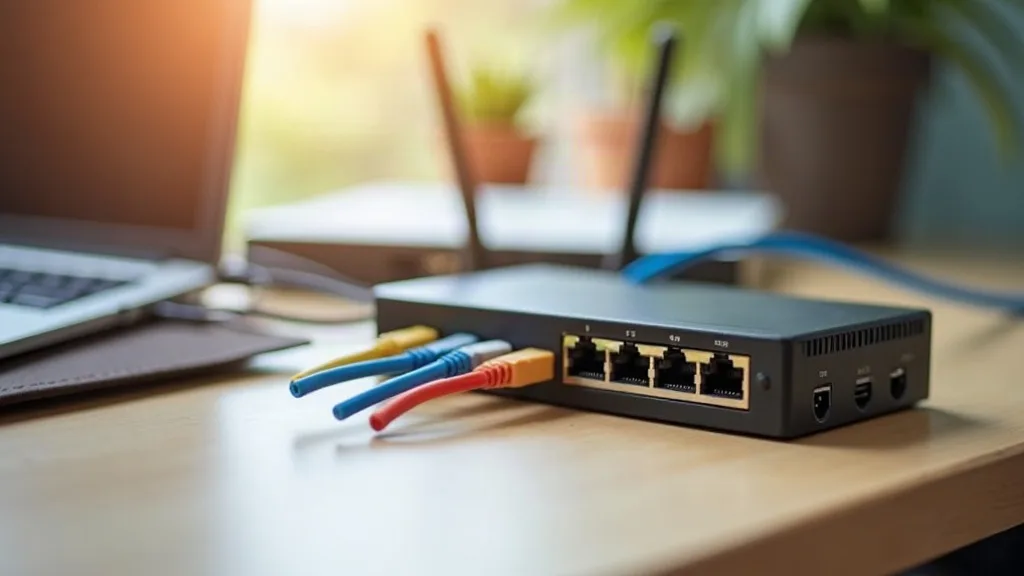

Your router probably has four Ethernet ports on the back, and most people never fill even two of them. Yet the moment you add a smart TV, a games console, a desktop PC and a network-attached storage box, those ports vanish fast. That's usually the point where someone starts wondering whether they need a network switch for home use, or whether they are overthinking a simple problem.

This guide walks through exactly when a switch helps, what separates a basic model from a managed one, why speeds like gigabit and 2.5G matter, and what Power over Ethernet (PoE) actually does. By the end, you will know which type of switch, if any, suits your household.
Key Takeaways
- A network switch adds extra wired ports when your router runs out, and it's often cheaper and more reliable than buying a new router.
- Unmanaged switches are plug-and-play; managed switches give you control but need more setup knowledge.
- Gigabit (1Gbps) suits most homes, while 2.5G switches help with NAS boxes, fast broadband or heavy file transfers.
- PoE switches power devices like cameras and access points through the Ethernet cable itself, cutting down on plug sockets.
- Wired connections are usually faster and more stable than Wi-Fi, especially for gaming, streaming and backups.
- Most households only need a simple 5 or 8-port unmanaged switch, not an expensive managed model.
- Switches work alongside your existing router and Wi-Fi setup rather than replacing it.
When a Network Switch Actually Helps
A switch is worth buying the moment you run out of Ethernet ports on your router. That might be sooner than you think if you have a smart TV, a streaming box, a desktop computer and a printer all wanting a cable connection.
Think of a switch as a power strip for your network. Instead of plugging one device into one wall socket, you plug one cable from your router into the switch, and the switch hands out extra ports to everything else. It doesn't create new internet connections, it just shares the one you already have more widely.
A good example is a home office setup. You might have a desktop PC, a printer, a monitor with network streaming, and a backup drive, all wanting a stable connection. Rather than relying on Wi-Fi for each one, a small switch near your desk lets you wire them all in with one cable running back to the router.
If you are still working out the best way to get those cables around the house, it helps to read up on how to run Ethernet cable through your house before buying any hardware.
Unmanaged vs Managed Switches
Unmanaged Switches
Unmanaged switches are the simple option. You plug them in, connect your cables, and they work immediately with no setup, no app and no login screen. For most homes, this is all you'll ever need.
They're cheap, reliable and basically maintenance-free. If a device needs wiring in and you don't need to control traffic or monitor anything, an unmanaged switch does the job quietly in the background.
Managed Switches
Managed switches give you more control. You can split your network into separate sections (called VLANs), prioritise certain traffic, and see what's happening on each port through a web interface or app.
This matters more if you're running a home lab, hosting a few servers, or want to keep smart home devices separate from your main network for security reasons. If that sounds like your setup, it's worth reading Home Lab for Beginners: Where to Start to see whether a managed switch fits your plans.
For most households, though, a managed switch is unnecessary complexity. It's a bit like buying a commercial oven for making toast.
Gigabit vs 2.5G Speeds
Gigabit (1Gbps) has been the standard home networking speed for years, and it's still plenty for most households. It comfortably handles 4K streaming, video calls, online gaming and general browsing without any bottleneck.
2.5G switches and network cards are a newer step up, mostly useful if you have a NAS (network-attached storage) box, very fast fibre broadband, or you move large files around often. If your broadband is already under 1000Mbps, a gigabit switch won't hold you back at all.
Where 2.5G starts to matter:
- You have fibre broadband faster than 1Gbps.
- You regularly back up or transfer large video files between computers.
- You're building a small home lab or media server and want faster internal transfers.
If none of that applies to you, don't pay extra for 2.5G ports. A basic gigabit switch will do everything you need, and you'll likely never notice the difference.
What PoE Actually Does
PoE stands for Power over Ethernet. It lets a single cable carry both data and electrical power to a device, meaning you don't need a separate power adapter and plug socket.
This is especially handy for things mounted away from sockets, like:
- Outdoor security cameras
- Wi-Fi access points fitted to a ceiling or high wall
- Smart intercoms or door entry systems
Instead of running both a power cable and a data cable, you run one Ethernet cable and the PoE switch handles both jobs. It's tidier, often safer for outdoor installs, and means fewer things to plug in.
PoE switches cost more than standard ones, so they're only worth it if you actually have PoE devices or plan to add some soon. If you're mostly dealing with TVs, consoles and computers, you don't need PoE at all.
Switch vs Other Options
Before buying a switch, it's worth checking whether something else solves your problem better. If your issue is weak Wi-Fi signal rather than a lack of ports, a switch won't fix that. In that case, look at how to extend Wi-Fi range to every room or consider a mesh Wi-Fi system instead.
If running new cables isn't possible because of flooring, walls or rented accommodation, powerline adapters can be a workaround, though they come with their own limitations and aren't as fast or reliable as proper Ethernet.
A switch is specifically for adding more wired ports where cables already reach, or can be run to, a central point. It solves a different problem to weak coverage, so it's worth being clear on which one you actually have.
Where to Place a Switch at Home
Switches work best near a cluster of devices that need wiring in. Common spots include:
- Next to the TV, for a games console, smart TV box and soundbar.
- In a home office, for a desktop, printer and monitor.
- In a loft or cupboard, feeding a PoE access point or camera system.
You'll still need a cable running from your router (or a wall socket connected to the router) to wherever the switch sits. If your router doesn't have enough ports or sits in an awkward spot, it might also be worth revisiting how to choose a router, since some routers include more built-in ports than others.
Simple Recommendations by Household
Renters or Small Flats
You probably don't need a switch at all. A couple of devices wired directly into the router, with Wi-Fi handling everything else, is usually enough.
Families With Multiple Streaming Devices
A basic 5 or 8-port unmanaged gigabit switch is ideal. It lets you wire in the TV, console and a streaming box without touching your router's settings.
Home Office Workers
An 8-port gigabit switch near your desk keeps your work computer, printer and backup drive stable and off the Wi-Fi, which matters for video calls and large file uploads.
Home Lab or Tech Enthusiasts
A managed switch with a mix of gigabit and 2.5G ports gives you room to grow, plus the ability to separate traffic if you're running servers or test environments. Pairing it with one of the best mini PCs for a home lab is a common starting setup.
Smart Home and Security Heavy Households
A PoE switch is worth the extra cost here, since it simplifies powering cameras and access points without extra plug sockets scattered around the house.
Conclusion
A network switch for home use isn't something every household needs, but it solves a very specific problem well: running out of wired ports. If that's your situation, an unmanaged gigabit switch will handle almost everything, with managed and 2.5G options reserved for heavier setups, and PoE switches for cameras or ceiling-mounted access points. The simplest next step is to count how many devices actually want a cable, then pick the smallest switch that covers that number comfortably.
FAQ
Do I need a switch if I already have a router?
Only if your router doesn't have enough free Ethernet ports for everything you want to wire in. A switch simply extends the number of available ports, it doesn't replace the router itself.
Will a switch make my internet faster?
No, a switch doesn't increase your broadband speed. It can improve speed and stability for individual devices by giving them a wired connection instead of relying on Wi-Fi.
Can I connect a switch to Wi-Fi instead of a cable?
No, switches need a physical Ethernet connection to your router or network. They don't connect wirelessly themselves.
Is a managed switch worth the extra cost for a normal household?
Usually not. Unless you're running a home lab or want detailed control over your network traffic, an unmanaged switch covers everyday needs without the added complexity.
What size switch should I buy?
Count your current wired devices, then add a couple of spare ports for future use. A 5-port switch suits small setups, while an 8-port switch gives more breathing room for TVs, consoles and office equipment.
Does PoE work with any Ethernet cable?
PoE needs a switch and devices that both support it, along with standard Ethernet cabling like Cat5e or Cat6. Not every device accepts PoE, so check compatibility before buying a PoE switch specifically for that purpose.